Recipes now run to one clock, with three ways to follow it
· New feature
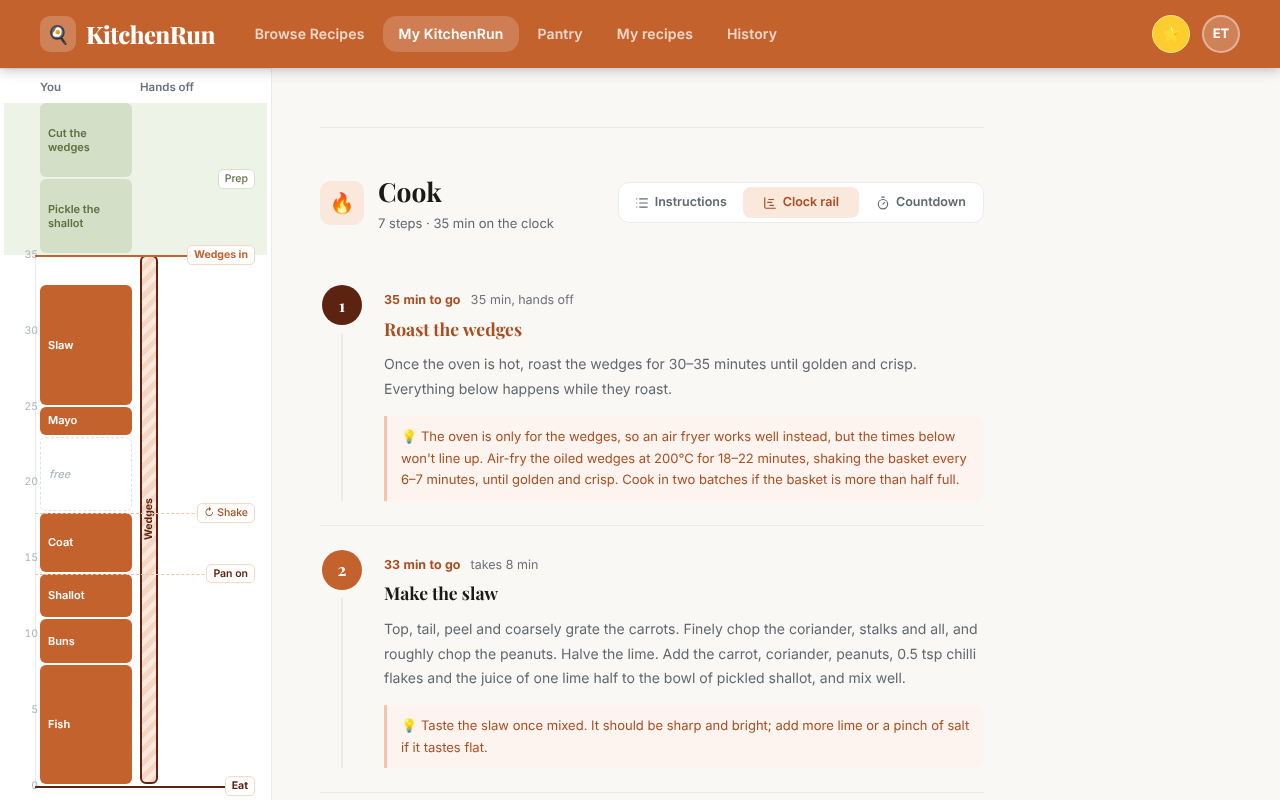
Our recipes now run to one clock. The longest hands-off job goes on first, and everything else fits around it. Each recipe's total time is now prep at your own pace plus the minutes on the clock.
Choose how the cook page shows it under Cook assist in Settings, or with the switch at the top of the Cook section.
- Instructions lists the steps in order with no clock. It is the default.
- Clock rail draws the whole cook beside the steps, so you can see what overlaps.
- Countdown shows each step's minutes to go and runs a timer.
Select Start the clock and Countdown tells you when each step is due, with a chime and a buzz. It keeps your screen on while it runs, and a reload picks up where you left off.
All three styles come with every account. Recipes you write in My recipes keep the Instructions layout for now.
Questions or feedback: hello@kitchen-run.com